Making teaching materials with Quarto
useR 2025
Outline
Why use Quarto to make teaching materials?
What teaching materials can I create using Quarto?
How do I get started?
Why use Quarto to make teaching materials?
Benefits for instructor
Reproducible course materials that are easier to update
Integrate narrative, executable R code, images, and interactive elements
Easily share course materials with students and more broadly
Regularly use the same technology as your students
Benefits for students
Navigation menu on all documents to easily to find content
Search capabilities on website to more easily find content by topic
Option to export PDF of slides
Ability to read course materials on multiple devices
What teaching materials can I create using Quarto?
Teaching materials in Quarto
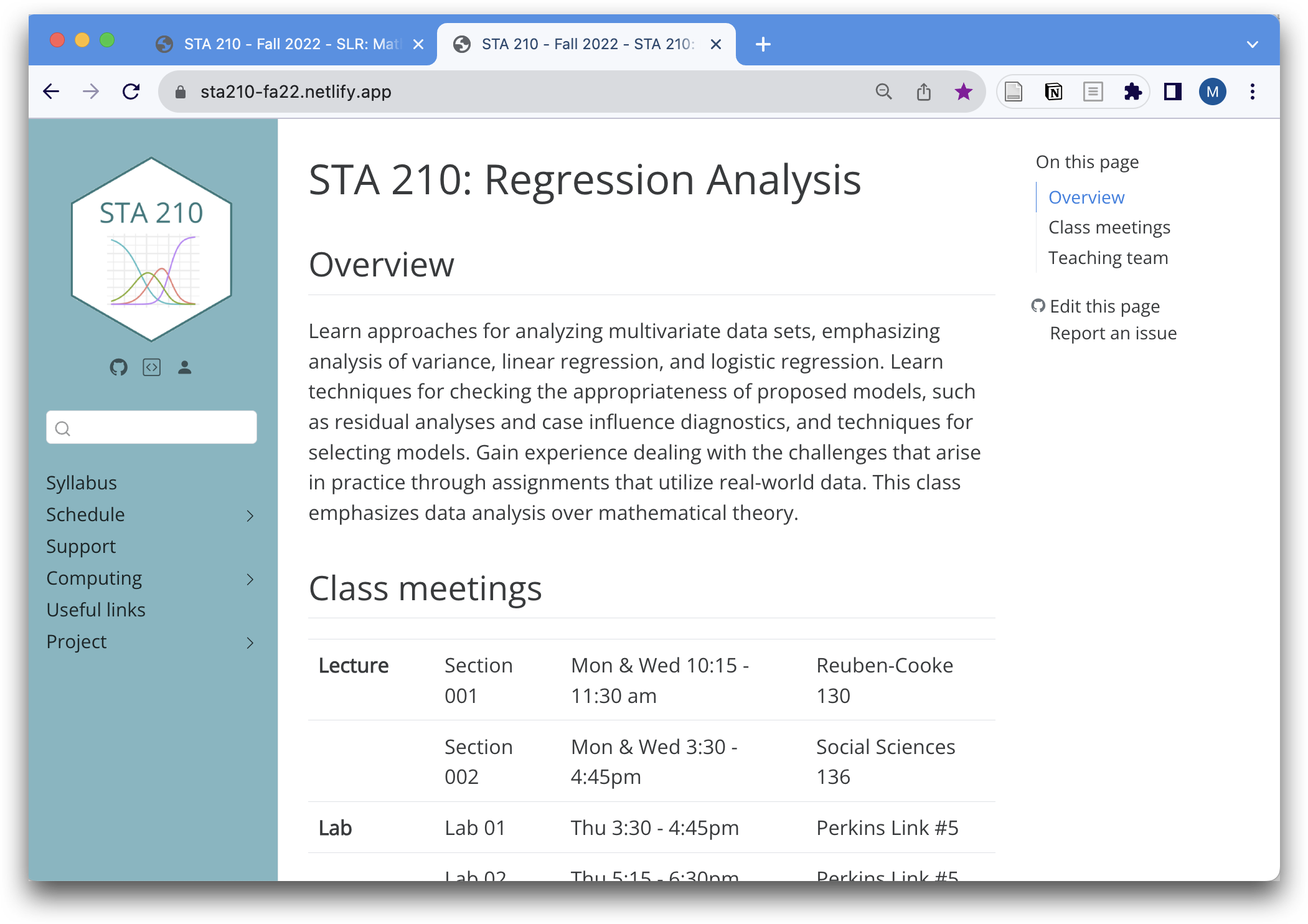
Course websites
Slides
Teaching materials in Quarto
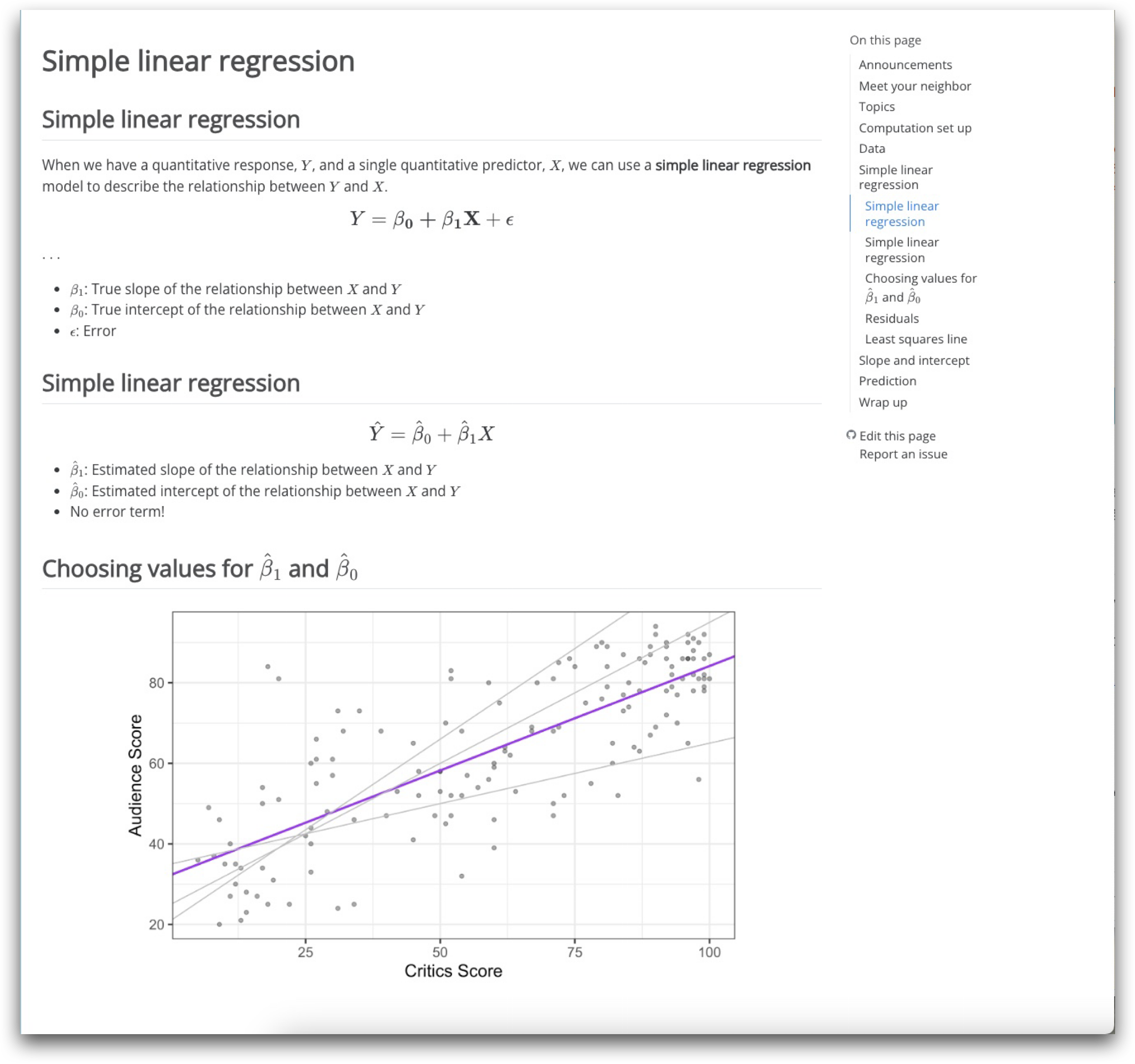
Long-form notes
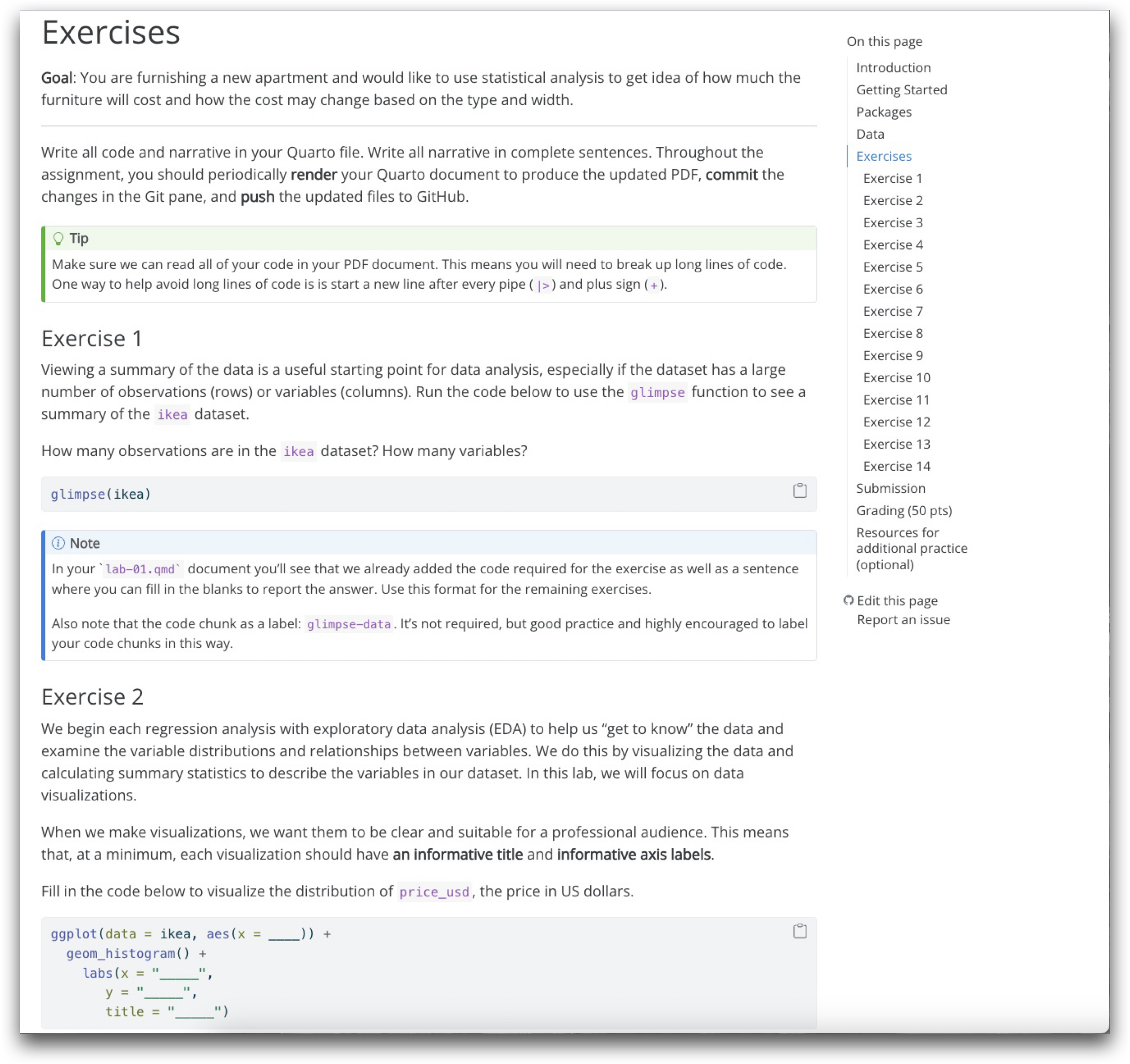
Assignment instructions
Slides
Slide menu
Slide navigation
Print to PDF
Speaker view
Annotation
Chalkboard
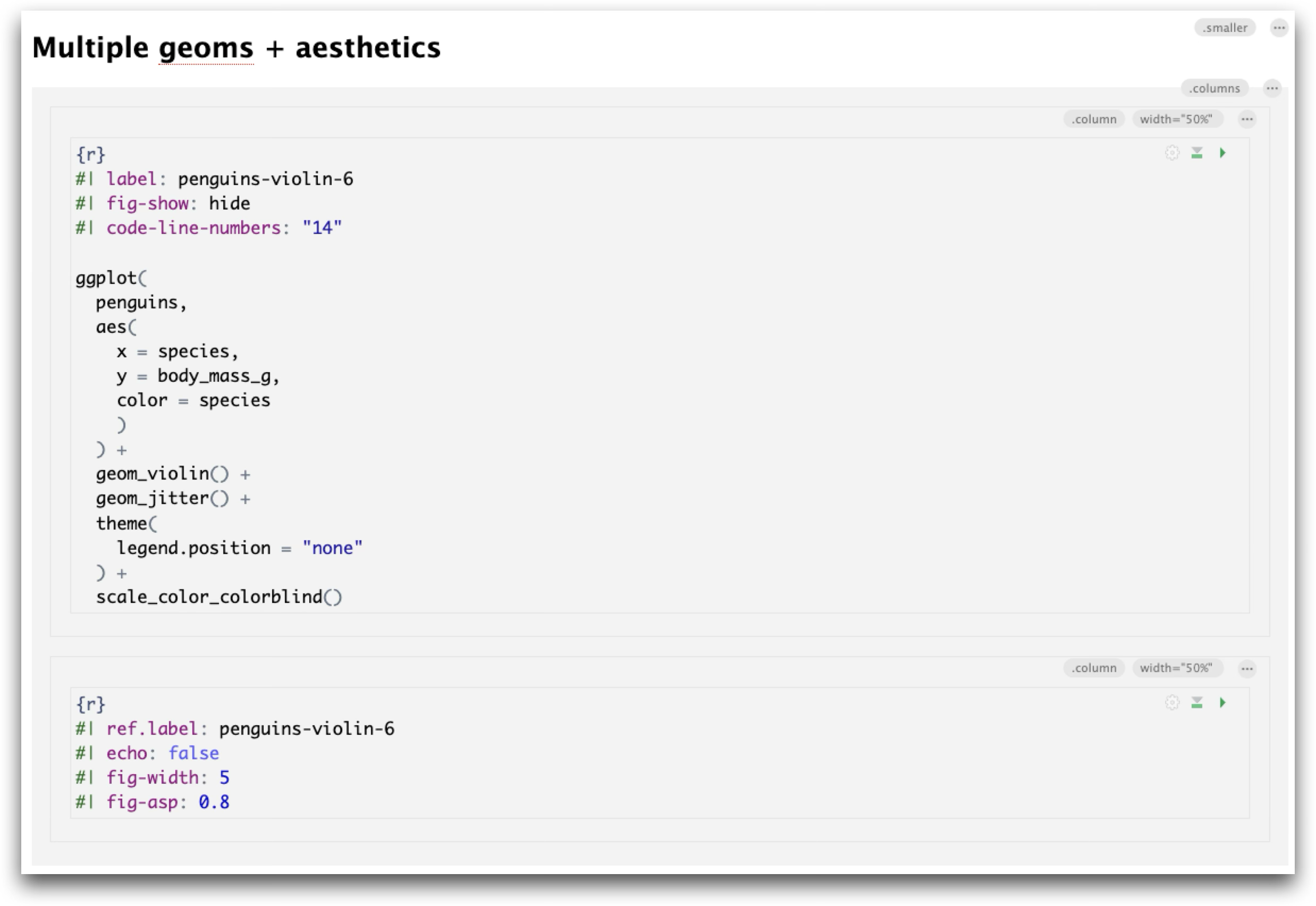
Slide with code + output
Published slide
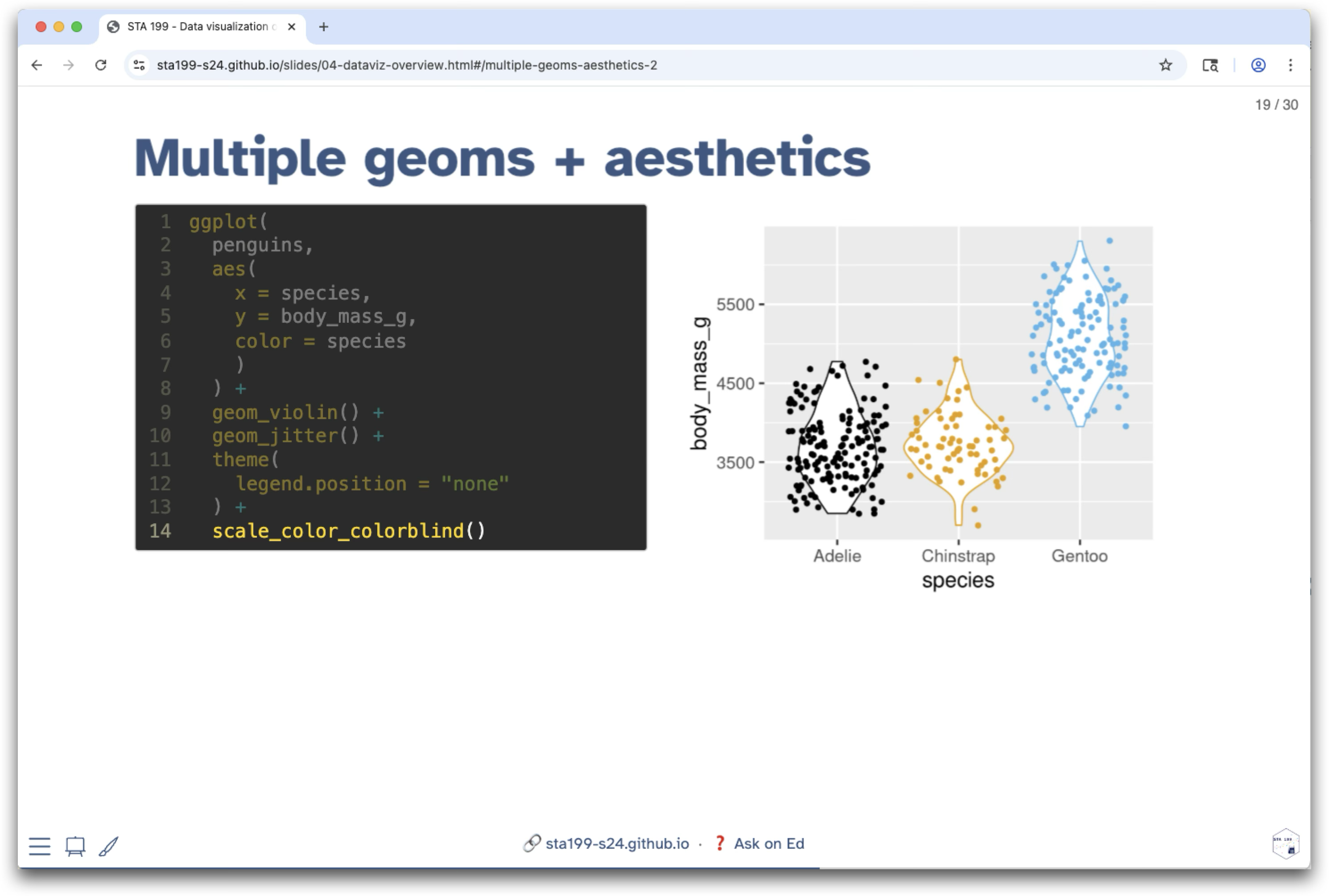
Source code
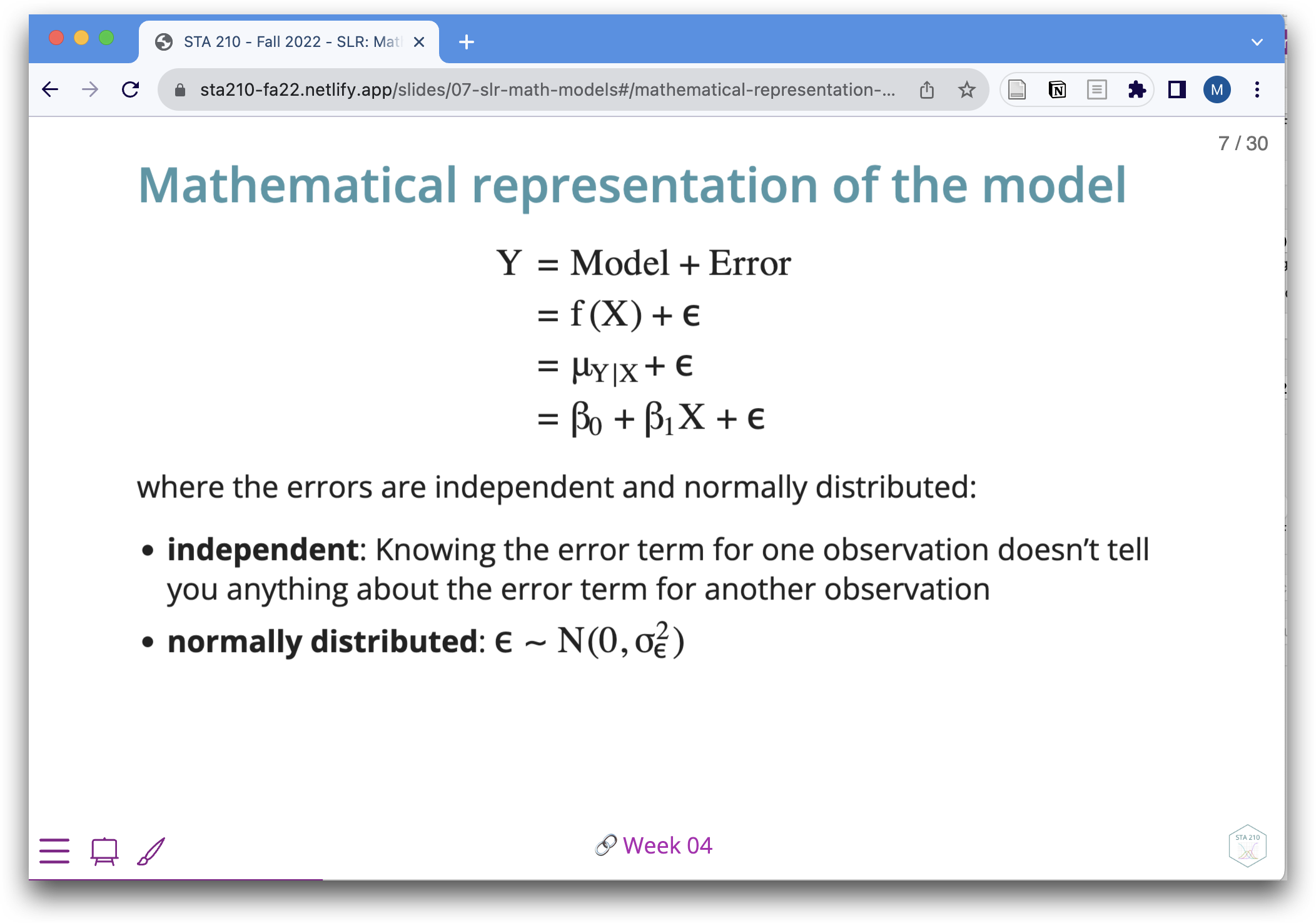
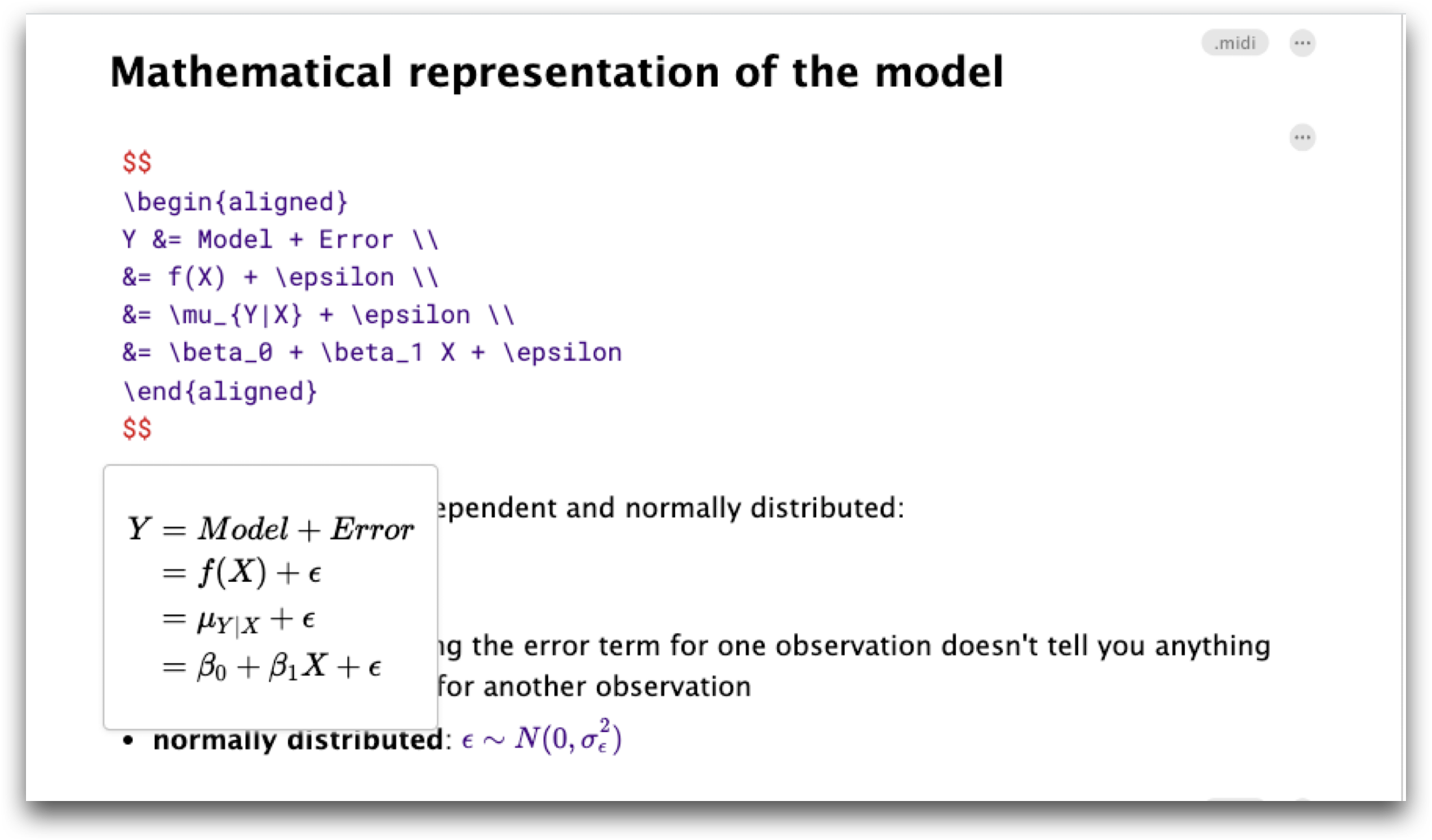
Slide with mathematical notation
Published slide
Source code
Websites
Example course website
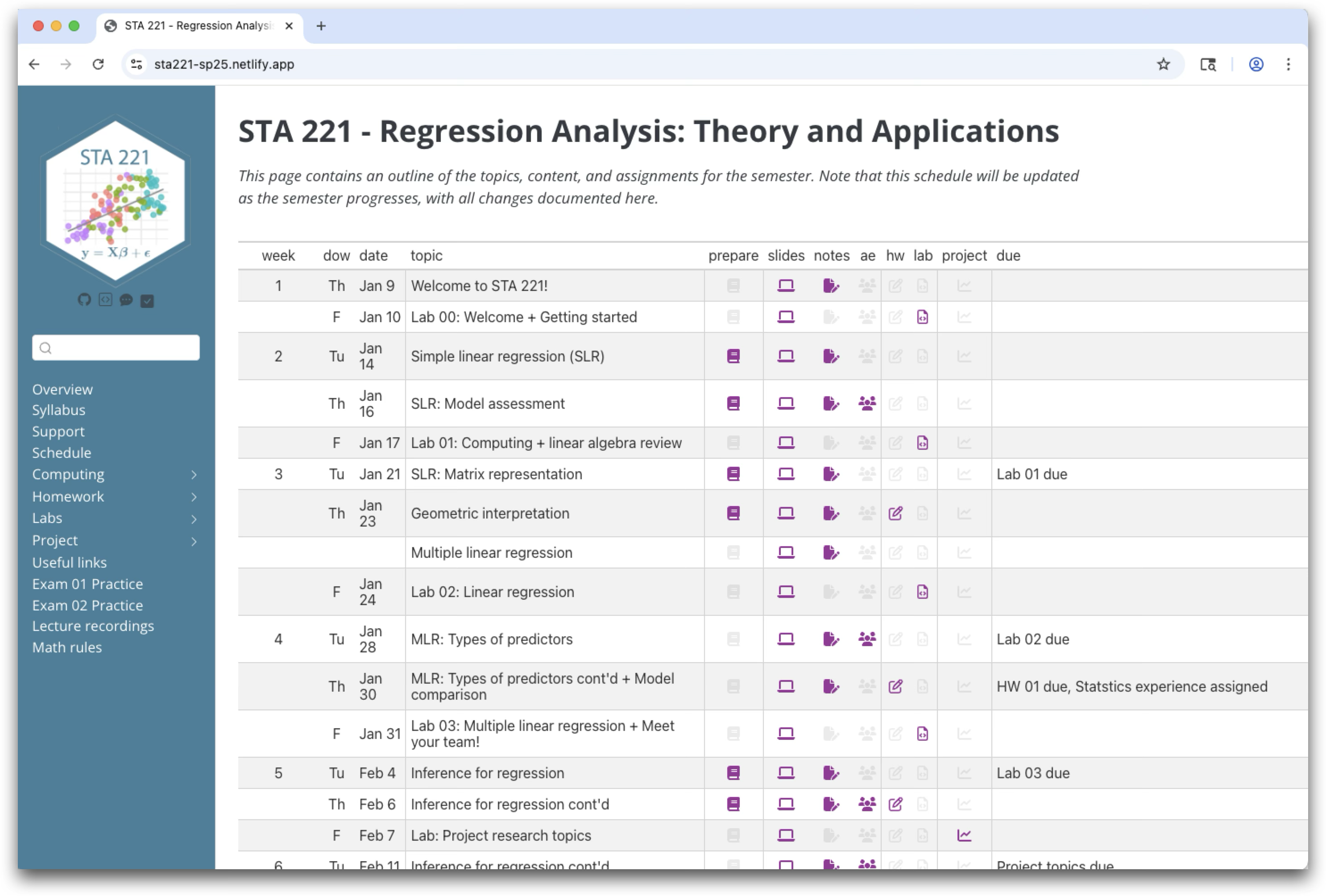
Source: Regression Analysis: Theory and Application taught by Maria Tackett
Example website file structure
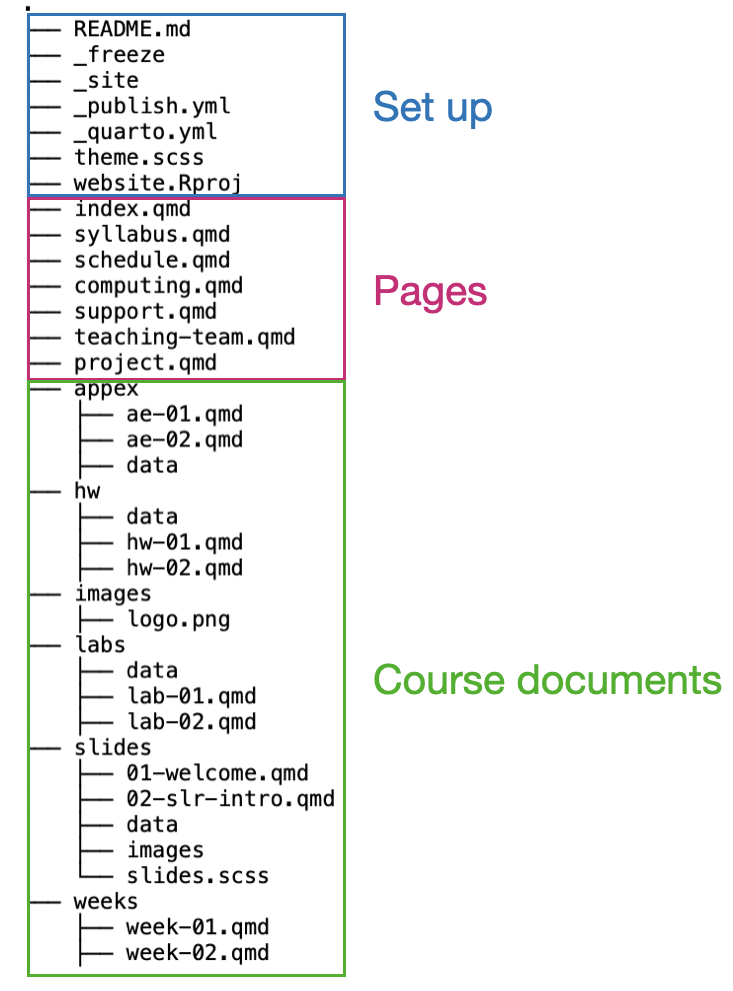
Interactive documents with webR
“Run R code in the browser without the need for an R server to execute the code”
YAML
How do I get started?
Getting started: slides + documents
Tip
Easily produce multiple types of documents by changing the format in the YAML.
---
title: "Lecture 01"
subtitle: "Statistics 101"
author: "Instructor"
date: "August 7, 2023"
date-format: long
footer: "URL to course website"
format:
  revealjs:
    theme: slides.scss
    transition: fade
    slide-number: false
    incremental: false
    chalkboard:
    code-link: true
editor: visual
execute:
  eval: true
  echo: true
---
Getting started: websites
Make a website repo on GitHub
Clone the repo and start a new RStudio project
Run the following code in the Terminal
quarto create-project --type website
You will see the standard files for a new website in the Files pane. See Creating a Website on quarto.org for more information.
Publishing materials
Run the following code in the Terminal
GitHub pages
quarto publish gh-pagesQuarto pub
quarto publish quarto-pubNetlify
quarto publish netlifySee Publishing Basics on quarto.org for more information and publishing options.
Course websites created with Quarto
- Introduction to Data Science, Elijah Meyer
- Regression Analysis, Maria Tackett
- Advanced Data Visualization, Mine Çetinkaya-Rundel
Learn more!
Organizing Teaching Materials by Maria Tackett & Mine Çetinkaya-Rundel
Reproducible documents, presentations, and websites with Quarto by Hunter Glanz, Emily Robinson & Allison Theobold
Hello Quarto: Share, Collaborate, Teach, Reimagine by Mine Çetinkaya-Rundel & Julia Lowndes
Wrap up
Recap
Build excitement about R on the first day
webR for interactive lectures
Computing proficiency as a course learning objective
Pedagogy of teaching computing in statistics and data science courses
Reproducibility using Quarto and GitHub
Creating and distributing assignments with GitHub
Making teaching materials with Quarto
Lessons learned
It is worth it!
- There are resources. Here are a few.
- The time investment pays off for your and your students
Practice by using the same workflow as your students.
Technology is choose your own adventure. Consider your time, resources, and student population.
Get connected to a community.
You (and your students) can do this!